SOC 2 CC6 covers access to systems, facilities and information. The eight criteria cover accounts and permissions, as well as protection for equipment, data transfers and software. The guides explain each requirement and the work involved when a control fails.
The eight CC6 criteria
CC6.1
Logical access
Protect systems and data through controls that identify users and restrict what they can access.
CC6.2
User credentials
Register and approve users before issuing credentials, then remove credentials when access is no longer authorized.
CC6.3
Role-based permissions
Match permissions to current responsibilities, with limited privileges and separate authority for tasks that need independent oversight.
CC6.4
Physical access
Restrict entry to facilities and access to equipment or media that contain protected information.
CC6.5
Asset disposal
Protect data on equipment and media until it has been safely removed before disposal or reuse.
CC6.6
System boundaries
Restrict connections from outside the system to protect information against unauthorized access and other external threats.
CC6.7
Data movement
Limit who and what can move information, and protect that information as it travels or leaves a system.
CC6.8
Malicious software
Prevent or detect unauthorized and malicious software that could compromise systems or the information they hold.
Access after organizational changes
Access can remain active after the reason for granting it has ended. Offboarding may close the main account while leaving a separate application login usable. A completed access review can miss this later change, leaving the former user able to enter the application.
A contractor leaves
A separate login remains
Former contractor retains access
Access repairs with ZeroTB
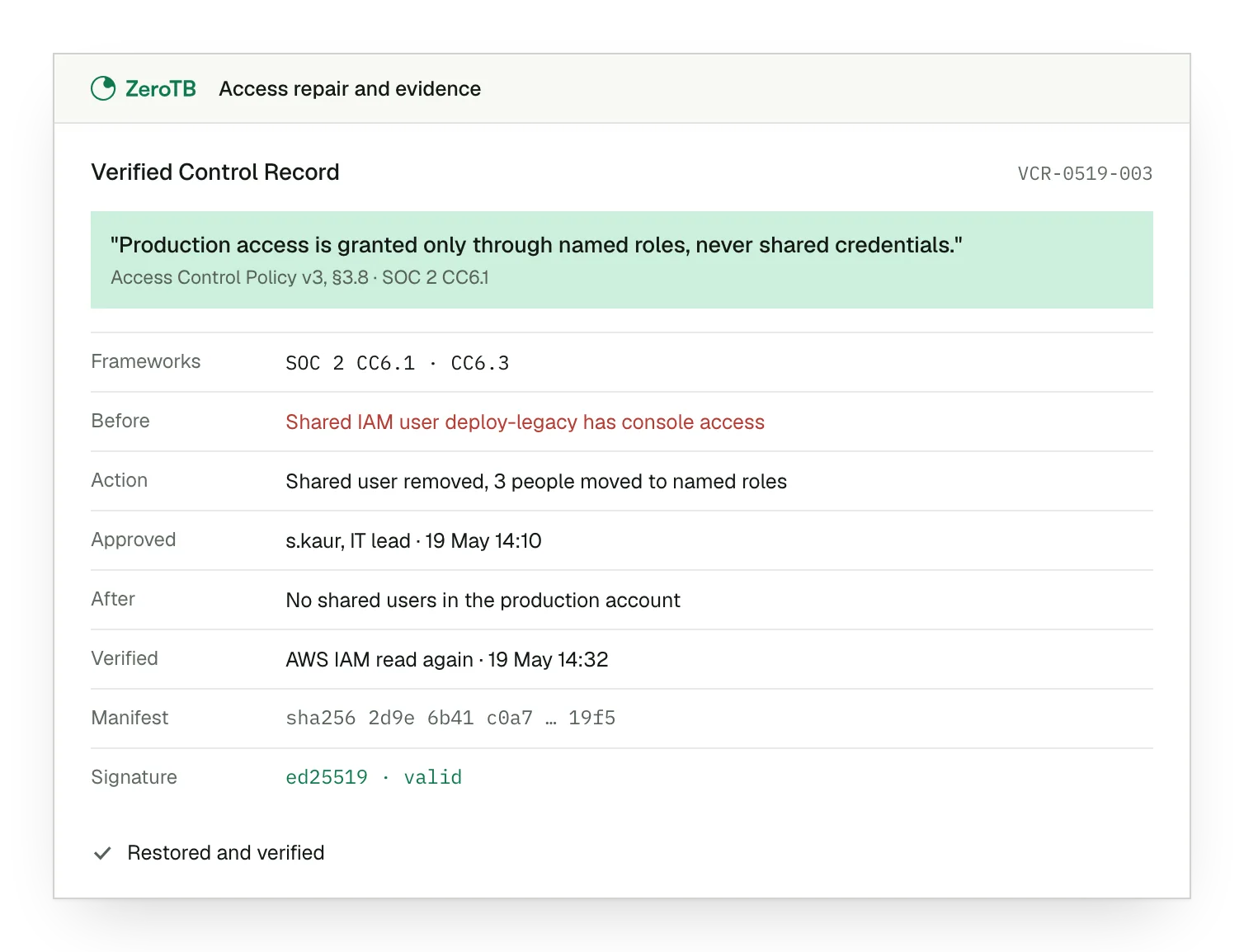
ZeroTB carries access gaps from the commitment in your report to a checked repair. We check systems daily, draft a fix for approval and verify the changed state. The signed Verified Control Record preserves the commitment, before-and-after state, action, approval and verification.
Connections start with read-only access
Unknown states stay visible until resolved
Control records stay in ZeroTB
Talk to our team
We can talk through the access problems that keep returning and how ZeroTB could help with the work between reviews.
FAQ
Where should we start if access findings keep returning?
Start with the access that remains open. A former user's active account belongs in the credential review under CC6.2. Someone with more permissions than their role requires raises a CC6.3 question. The user access review guide explains how to examine who still has access and whether they need it.
What evidence helps show that an access gap was closed?
The record should show what access was required and what changed on the affected account or asset. It should also retain the approval and the check after the change. ZeroTB keeps these details in the Verified Control Record, so a reviewer can follow the repair through to its result.
Do physical access and disposal still matter when we use cloud services?
They remain relevant to the facilities, equipment and media within your system's scope. Cloud hosting changes which party performs particular controls. It also leaves questions about your own devices and locations. The CC6.4 and CC6.5 guides explain the protection involved in physical access and retirement of assets.
Who decides whether ZeroTB can change an account or permission?
Your team approves material changes. ZeroTB starts with read-only access and scopes write permissions by action class. Proposed repairs can use a reviewed pull request, an approved API action or a runbook. The repair method depends on the system and the authority agreed for that action.
How often should access controls be checked?
The report or policy commitment sets the cadence for the control. A departure, changed role or new integration may also require a review before the next scheduled one. ZeroTB checks approved commitments daily against the relevant systems, helping identify changes during the intervals between those reviews.
Can the same access repair support another compliance framework?
Yes, if the repaired control meets each framework's requirements. ZeroTB works with shared controls across SOC 2, ISO 27001 and HIPAA. The same repair can therefore leave evidence for more than one commitment. The SOC 2 overview explains how these controls fit into the broader program.
Start with the Pilot
In the eight-week Pilot, we map up to 25 commitments from your report and take two real control gaps through verified restoration. You receive working controls and portable records of the repairs, including the approvals and checks behind them.