Keep Google Workspace accounts within policy
ZeroTB restores Google Workspace access to your policy's requirements through repairs your team approves.
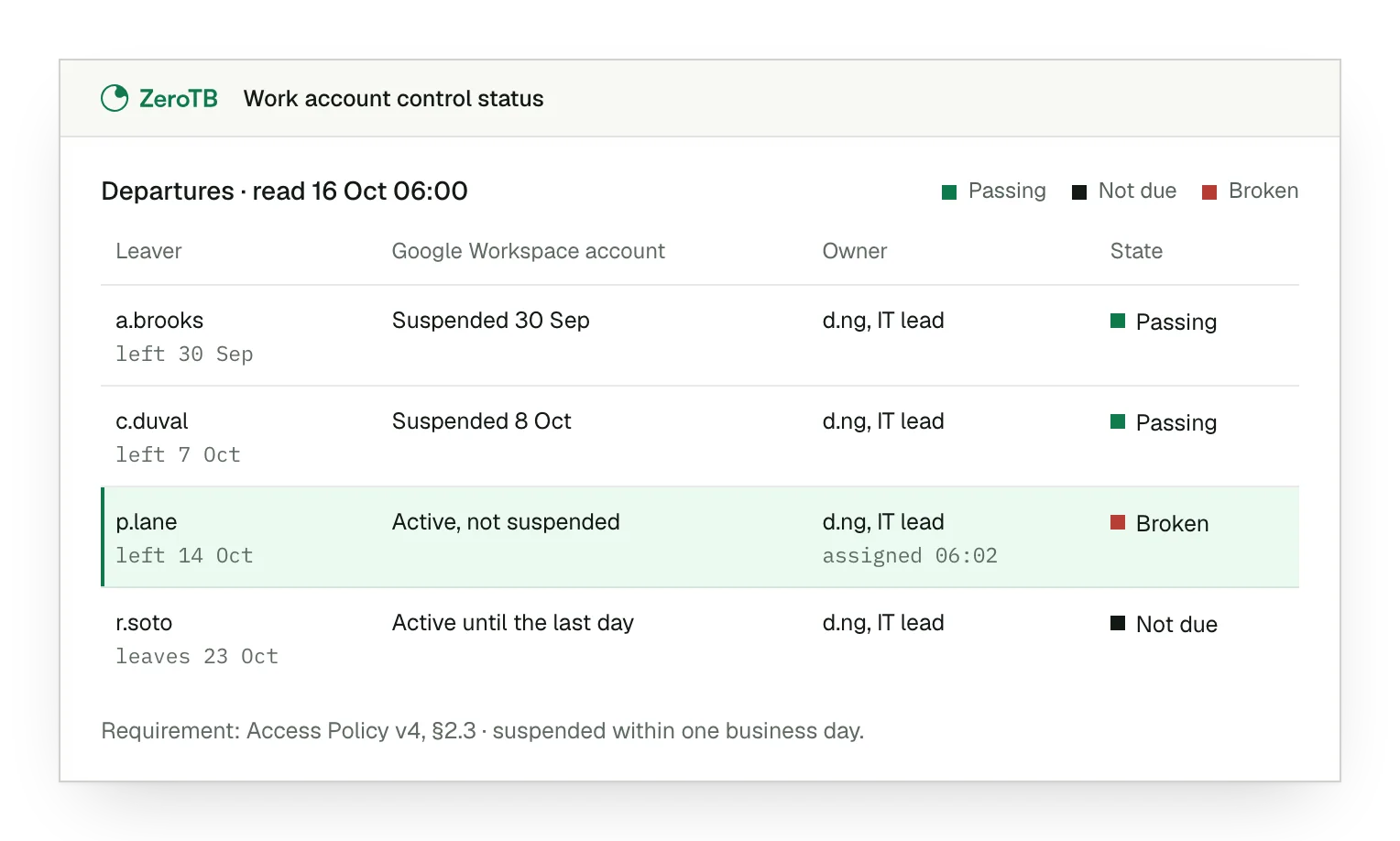
Works with the stack you already run


ZeroTB has undergone an independent audit and operates this control lifecycle in its own compliance program. Its report is available under NDA.
Google Workspace integration checks who reaches company data
Google Workspace integration checks work accounts as staff change. ZeroTB's software and team keep policy controls working for US software, AI, fintech and healthtech companies with 25 to 250 people.
IT and compliance owners. Owners approve material changes and receive the repair record
Work accounts only. A personal account reaching company information creates a gap in a work-account rule
Account side only. Managed-device rules also need endpoint evidence of enrollment, encryption and patching
Departed contractors keep access and cost audit findings
A contractor leaves, but their Google Workspace account still reaches company information. That unresolved departure requirement can return as an audit finding.
Account access approved
Contractor leaves the company
Work account retains access
ZeroTB repairs account access and rechecks it
When an account fails its check, ZeroTB carries the repair through to verification and keeps the evidence in a Verified Control Record.
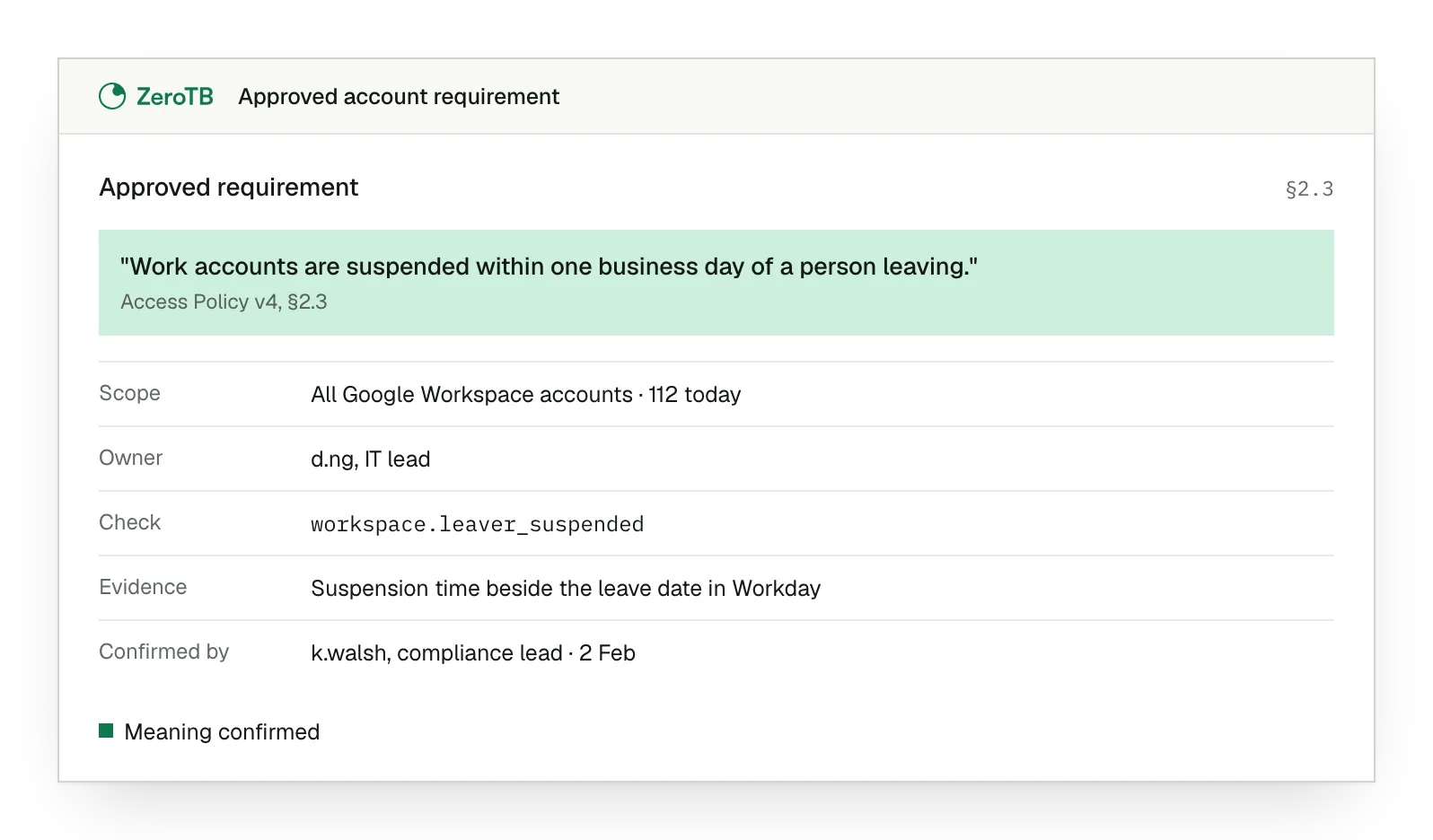
Policy into requirement
We read your policy or report to find the rule governing account access.
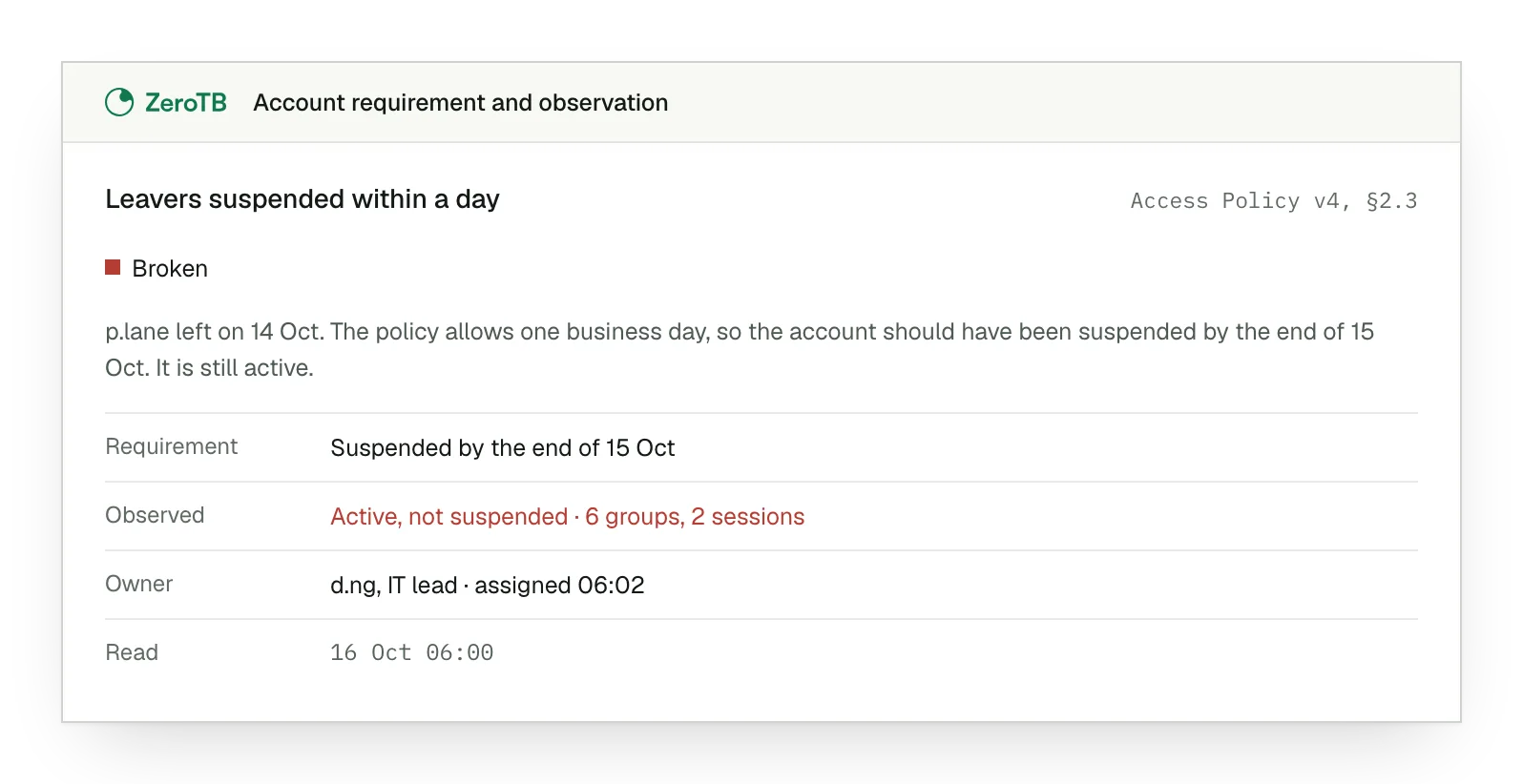
Gap beside requirement
The owner can compare the account's current access with the rule it fails.
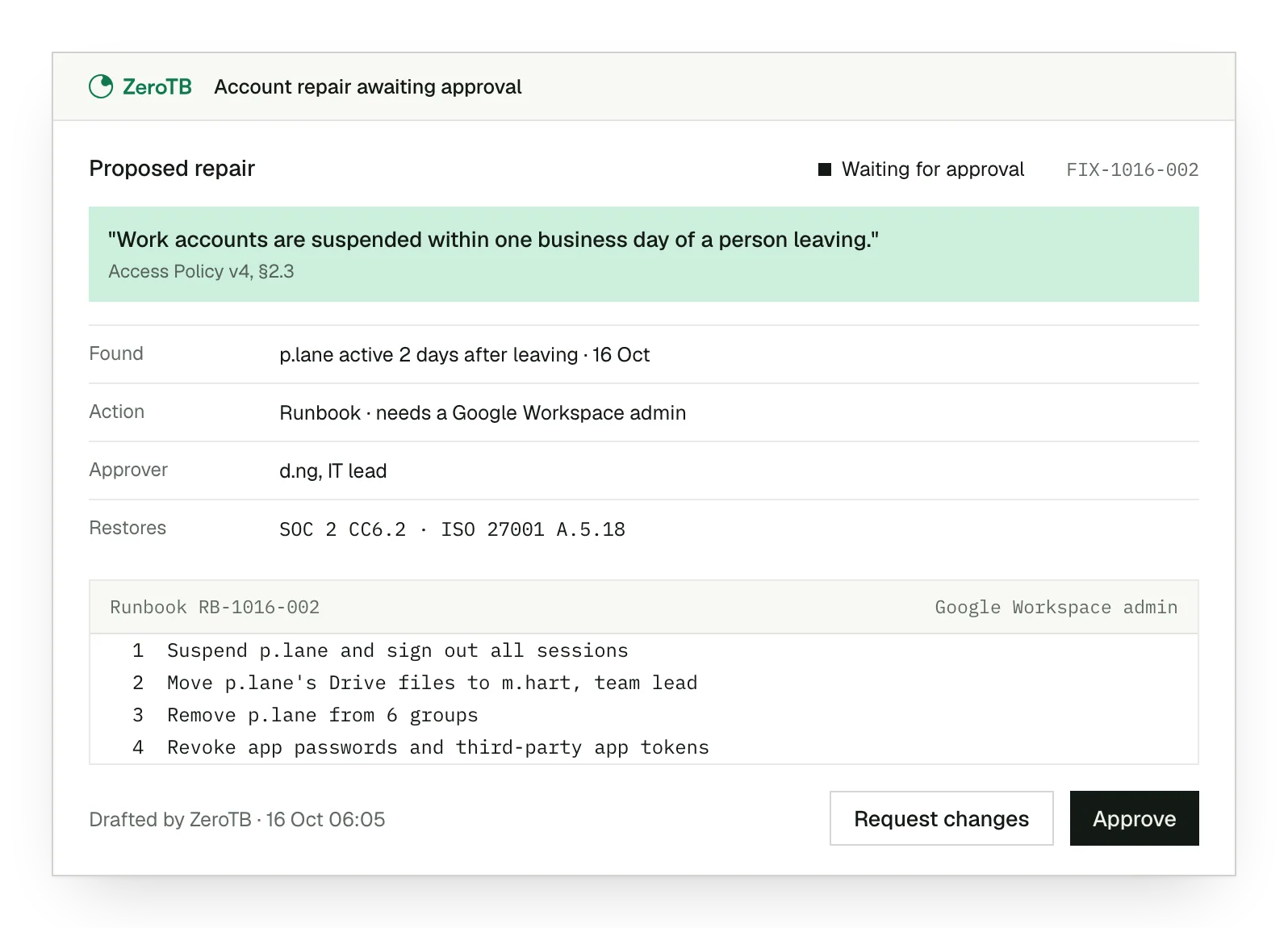
Repair for approval
We propose the repair for approval and supply a runbook when administrators must act.
Access rechecked
We check access after the repair and close the gap when the rule holds.
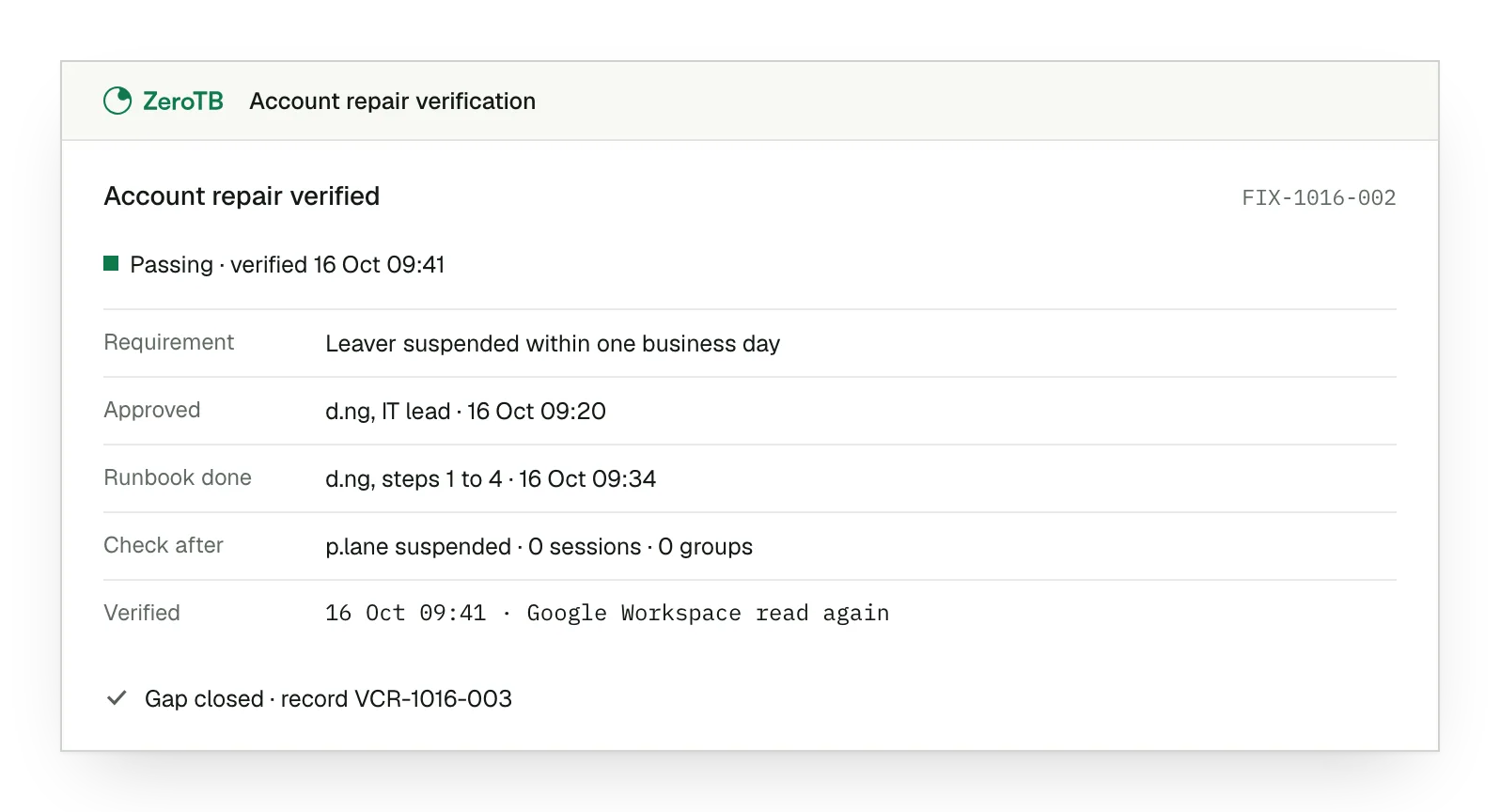
Signed repair record
The Verified Control Record retains requirement, before-and-after state, action, approval and check.
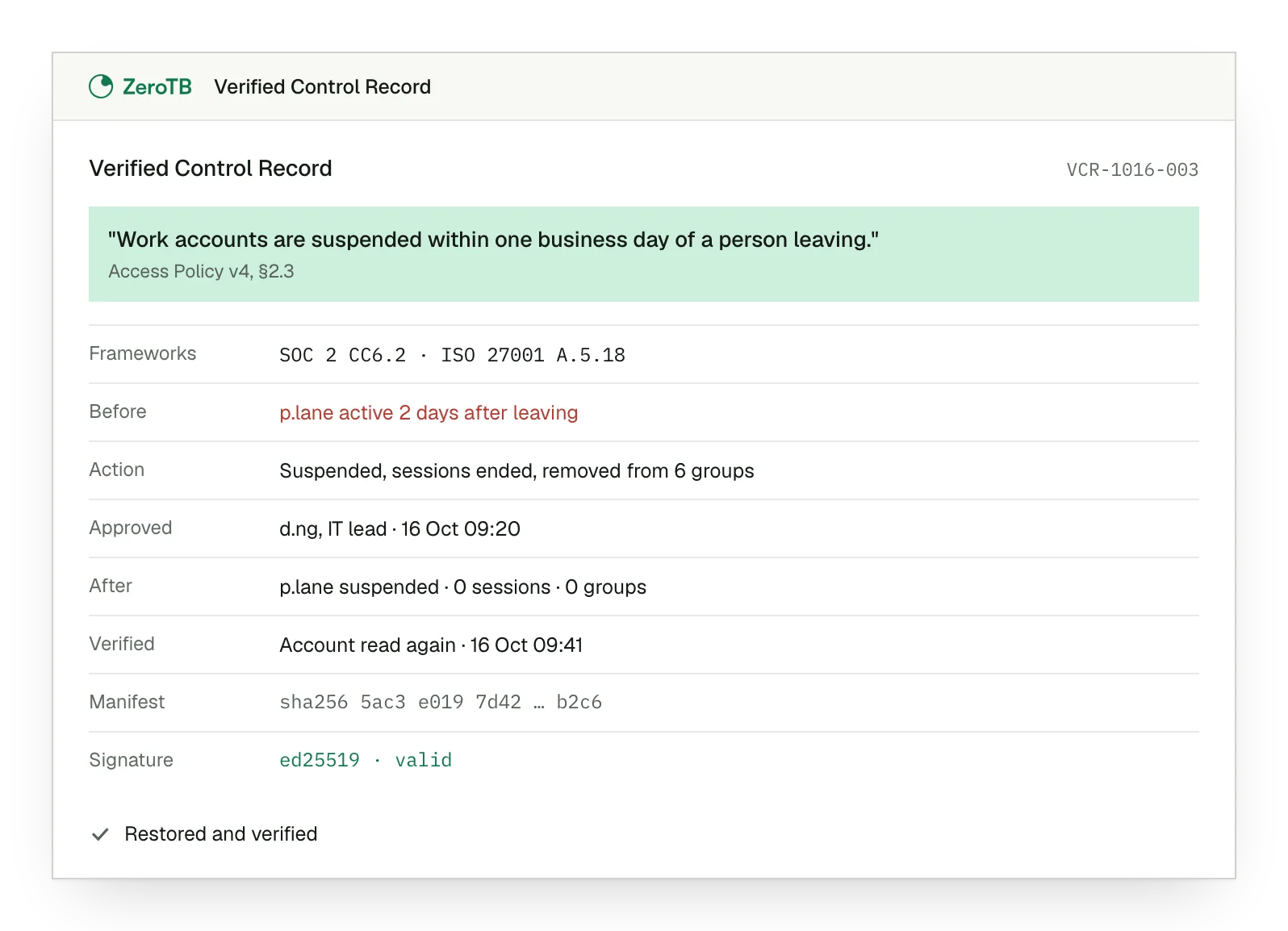
ZeroTB checks Google Workspace accounts for SOC 2
ZeroTB uses Google Workspace account observations to check access against your requirements and supply account evidence for SOC 2 controls.
Reads
- Work account details
- Account access conditions
- Current account state
Controls
- SOC 2 CC6.1 · Protect logical access
- SOC 2 CC6.3 · Change and remove access
- ISO 27001 A.5.16 · Manage the identity lifecycle
These checks provide the account evidence. A requirement covering another system also needs observations from that system to assess the whole requirement.
We check whether accounts reaching company information are among the work accounts you permit.
We compare remaining access with the rule that applies after a departure.
We check whether the repaired account meets the access review decision.
Unknown, stale and disconnected states show where current account evidence is missing.
Your team decides what ZeroTB may change
ZeroTB observes accounts through read-only access first. You decide which action classes it may write to and can withdraw that permission.
ZeroTB observes account conditions within the agreed scope before any writes.
Each write grant covers the action classes your team permits.
You can revoke the permissions granted to ZeroTB as your needs change.
Your team must opt in before ZeroTB can use direct API actions.
Your team can undo an authorized direct API change.
Policy limits the systems and resources an API action can affect.
Setup starts with your policy and covered accounts
We start with the policy behind your Google Workspace account rule and establish which accounts its checks should cover.
Confirm the requirement
Your team confirms what the account requirement in the policy means.
Map account scope
We define the accounts to check, their owner, the cadence and expected evidence.
Connect for observation
ZeroTB begins observing the agreed accounts against the requirement.
New hires and role changes stay covered
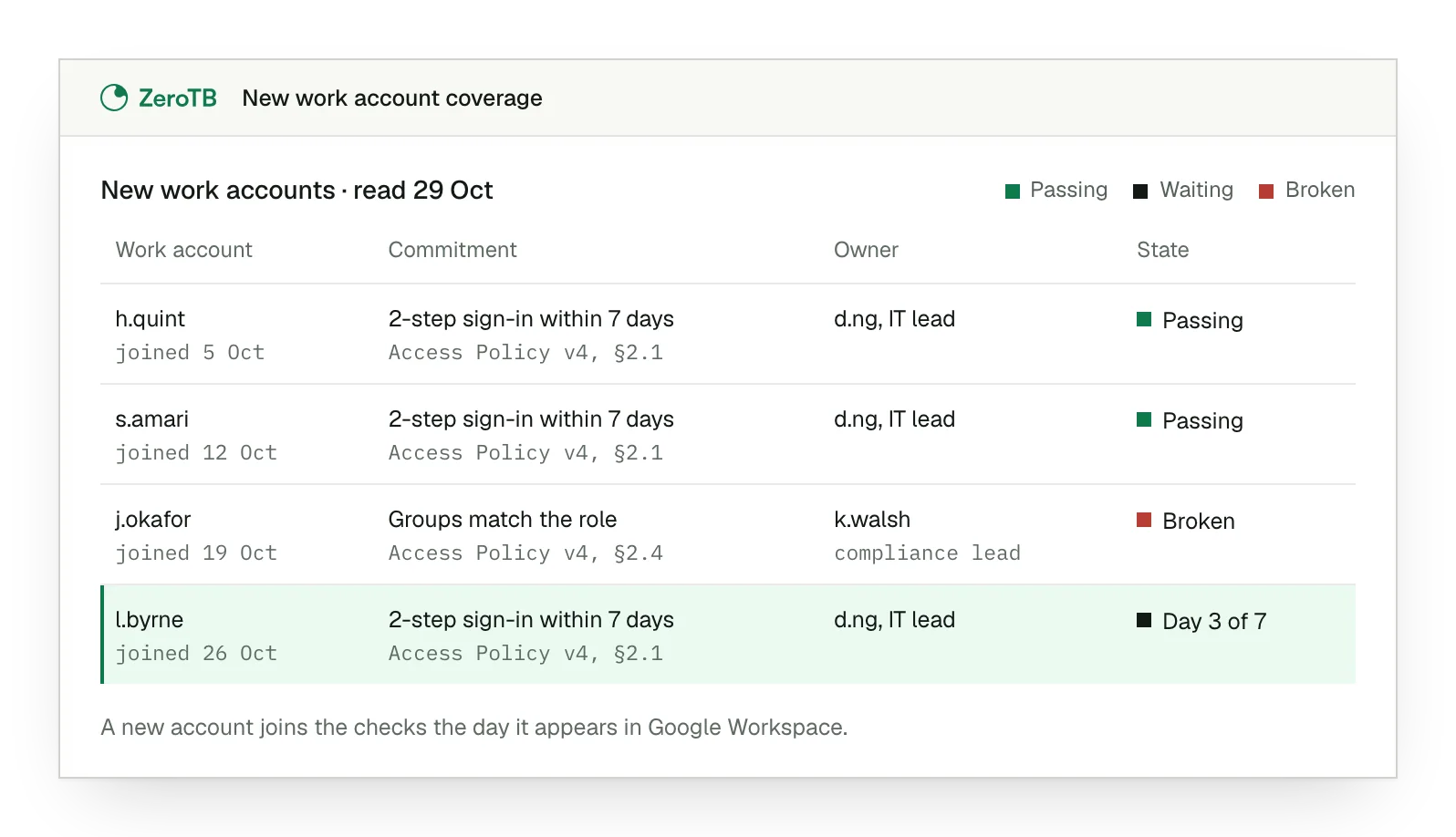
ZeroTB includes new Google Workspace accounts as people join and connects changed responsibilities or access review findings to the person responsible.
New staff
We bring new work accounts into the relevant commitment's scope.
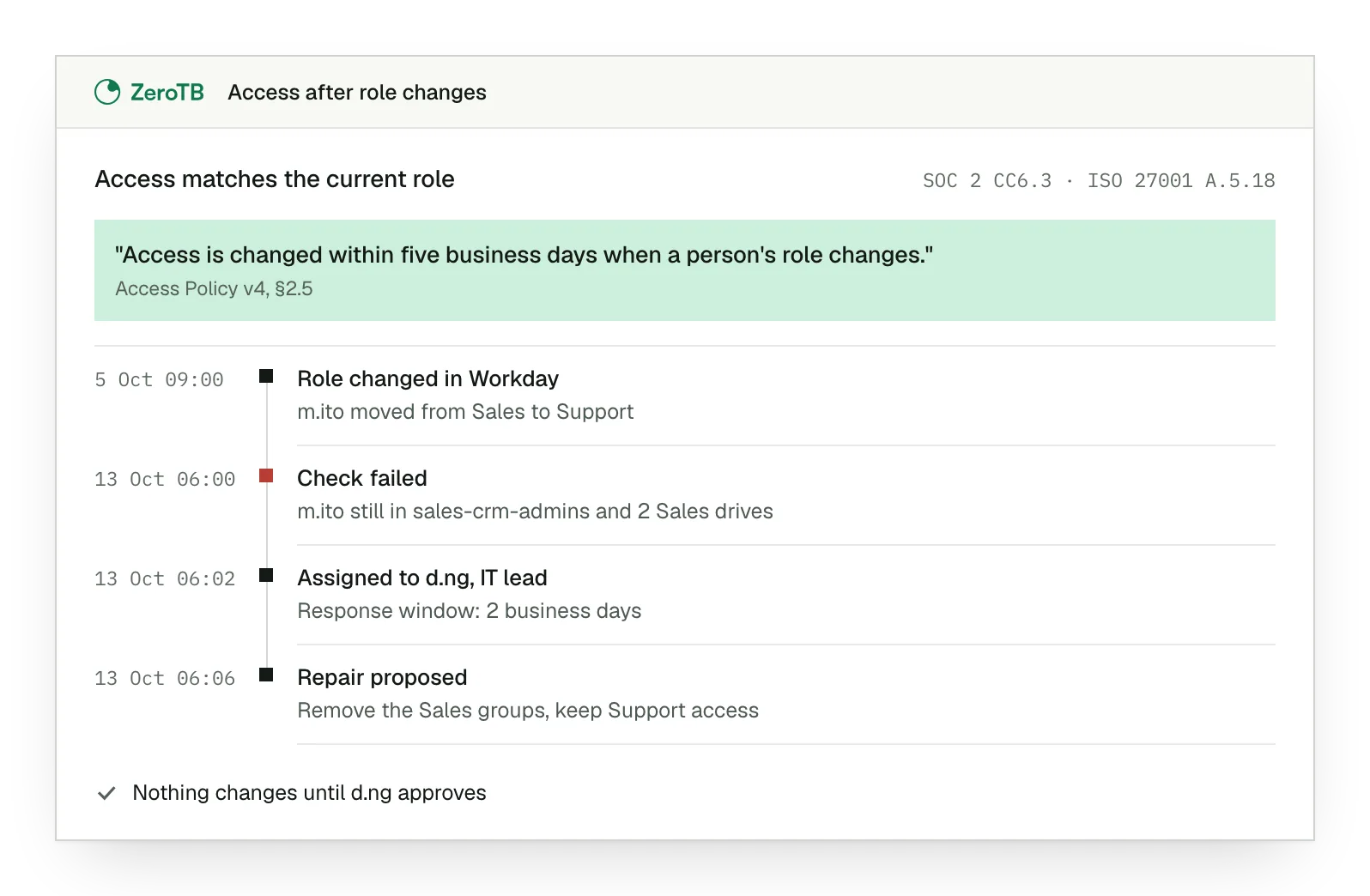
Changed responsibilities
ZeroTB sends access left from an old role to its owner.
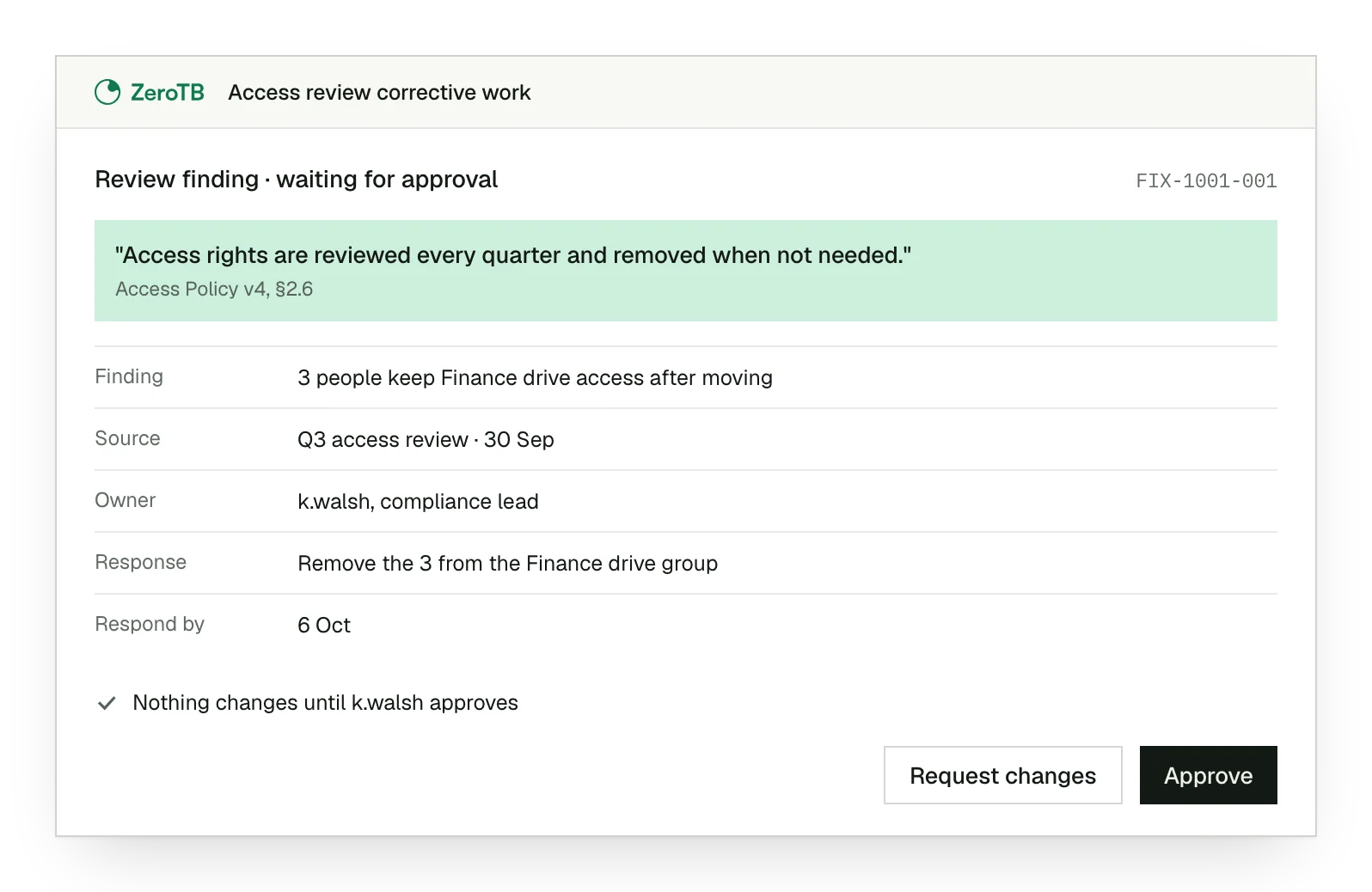
Review follow-up
An access review finding gets an owner and an agreed response.
Talk to our team
We can discuss access left open in Google Workspace and how to carry those account repairs through.
FAQ
Does our access policy need to name Google Workspace?
A work-account rule can cover Google Workspace even when the policy does not name it. Your team confirms what the rule means and which accounts it covers.
What happens when Google Workspace observations go stale?
A stale Google Workspace observation stays marked as stale. ZeroTB needs to observe the account again before judging its current access.
Can an administrator carry out the repair by hand?
An administrator can make the repair by following ZeroTB's proposed runbook. We then observe the account again to establish whether the repair worked.
Can we keep a portable copy of the repair evidence?
Your team receives a portable Verified Control Record to retain. The auditor can read the same repair evidence in ZeroTB.
Can one account repair support more than one framework?
One restored account condition can meet SOC 2, ISO 27001 and HIPAA requirements where their scopes overlap.
What happens if the account fails the check again later?
ZeroTB sends the new account failure to the control owner. Checks continue at the commitment's cadence after the repair.
Start with the Pilot
The eight-week Pilot maps up to 25 commitments and takes two real control gaps through verified restoration.