Audit evidence without the screenshot chase
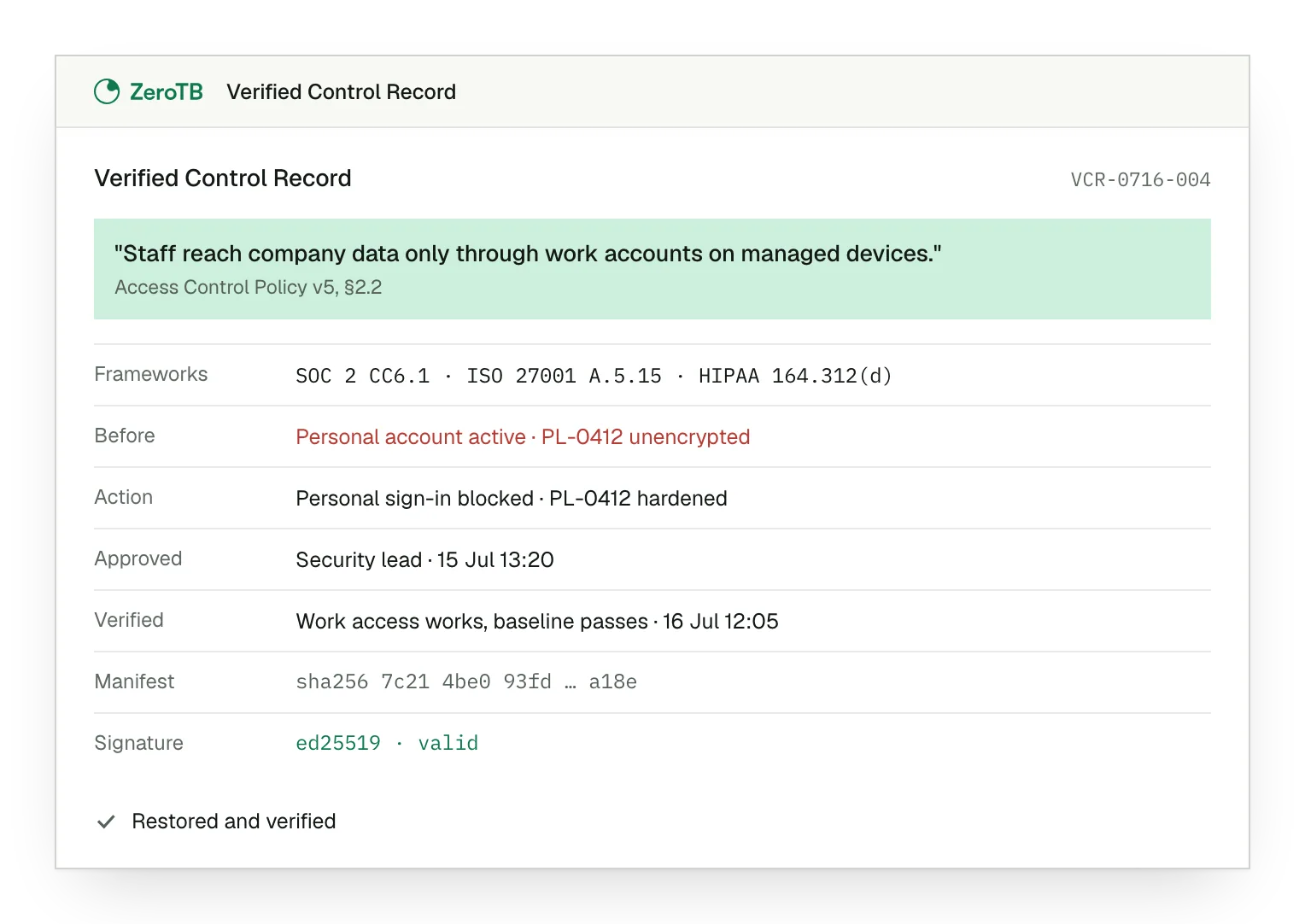
The signed Verified Control Record keeps each repair's requirement, approval and final check together.
Works with the stack you already run


ZeroTB has undergone an independent audit and operates this control lifecycle in its own compliance program. Its report is available under NDA.
ZeroTB records evidence while it fixes each control
The Verified Control Record is ZeroTB's signed repair record, read by auditors in ZeroTB, for compliance teams at US companies with 25 to 250 people past their first audit.
Produced by the repair. ZeroTB captures evidence as it restores the control
Closed on a check. ZeroTB checks the resulting state before closing the work
One record per repair. Each completed repair leaves a signed record for review
Screenshot requests cost engineering time before every audit
The repair ticket is closed, but its approval, original failure and final check sit elsewhere. Compliance reconstructs that history during a SOC 2 audit.
Engineering gathers screenshots and messages about completed work. ZeroTB captures that evidence during the repair.
Repair marked complete
Evidence scattered across systems
Engineering asked for screenshots
Each record holds five parts of one repair
The Verified Control Record keeps the requirement, before-and-after state, action, approval and verification together so auditors can follow the repair.
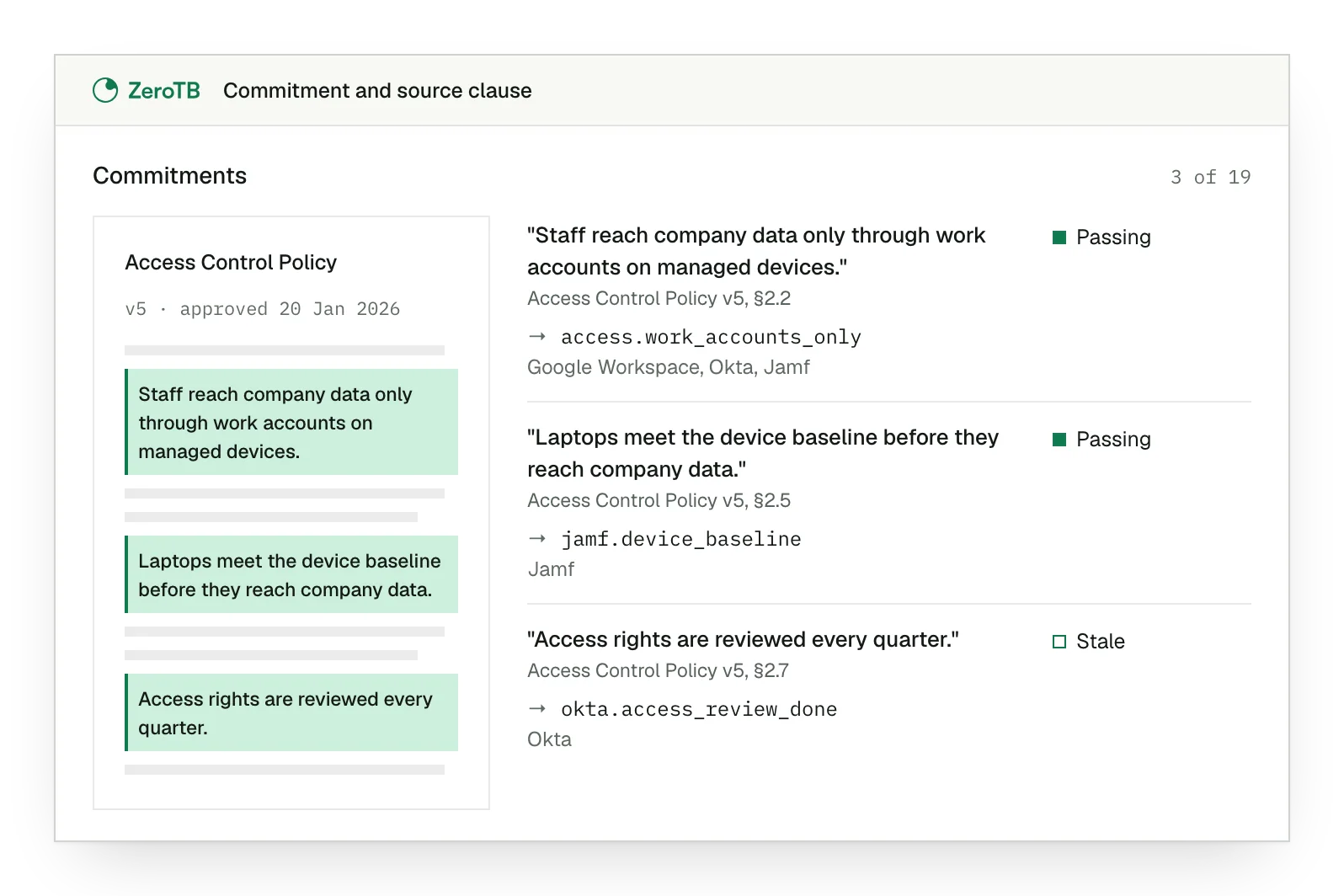
The requirement behind the repair
Reviewers can read the policy or report clause the repair answers.
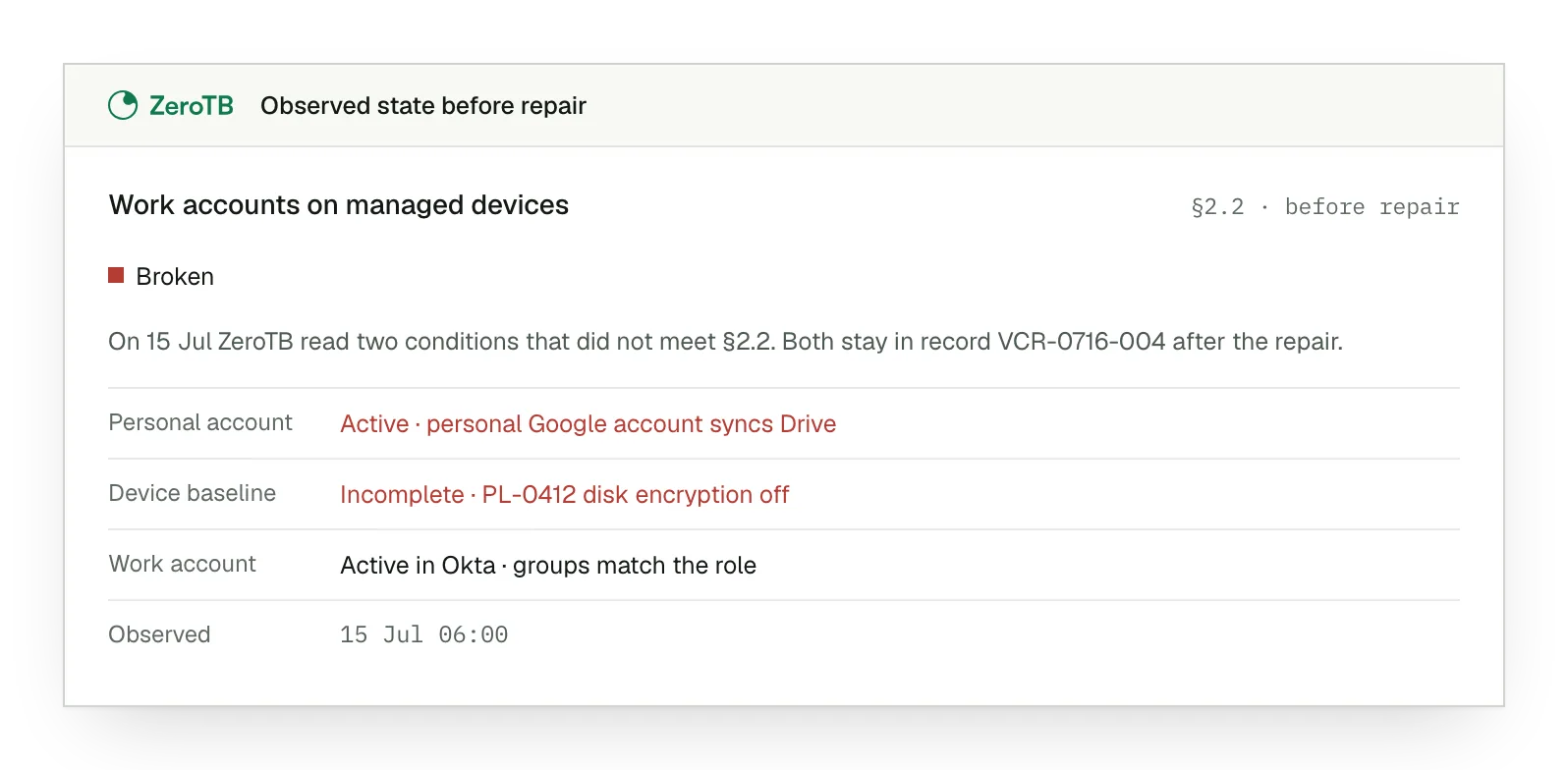
The condition that needed attention
The observed failure stays in the record for comparison with the result.
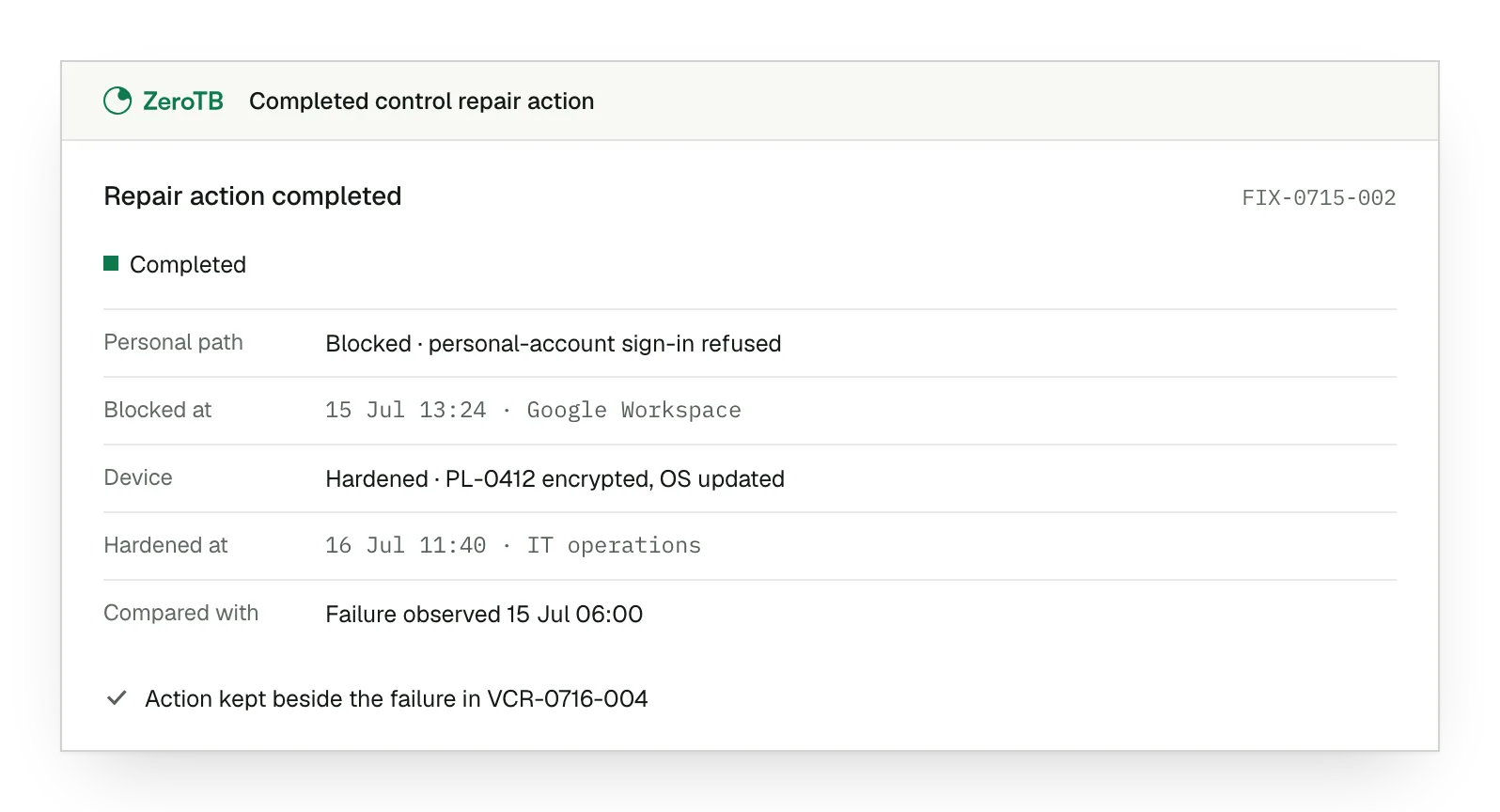
The change that was completed
The action entry shows what was done about the recorded gap.
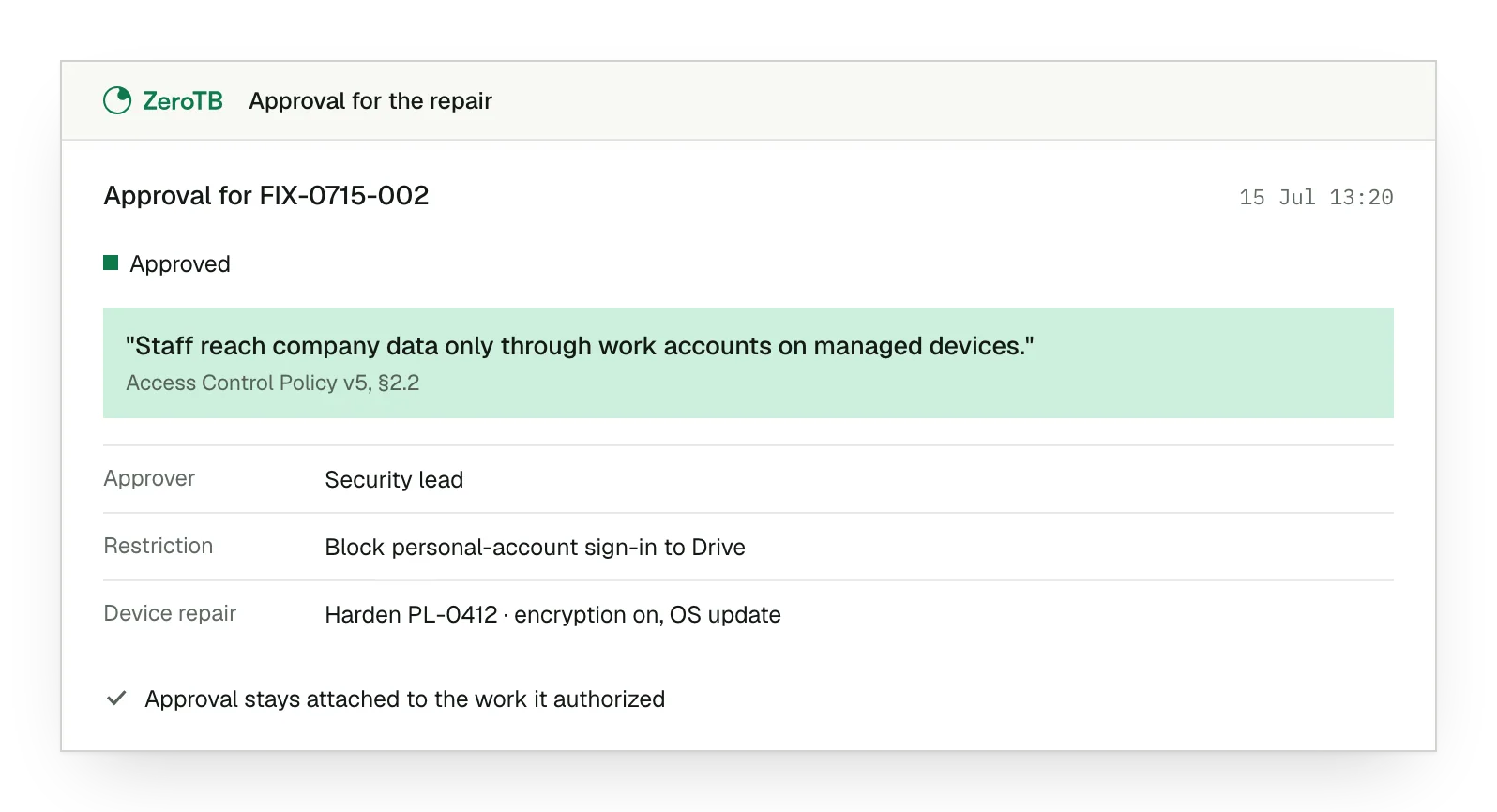
The approval for the action
The approval stays attached to the work it authorized.
The result after the repair
Reviewers can see ZeroTB's final check and whether the required condition held.
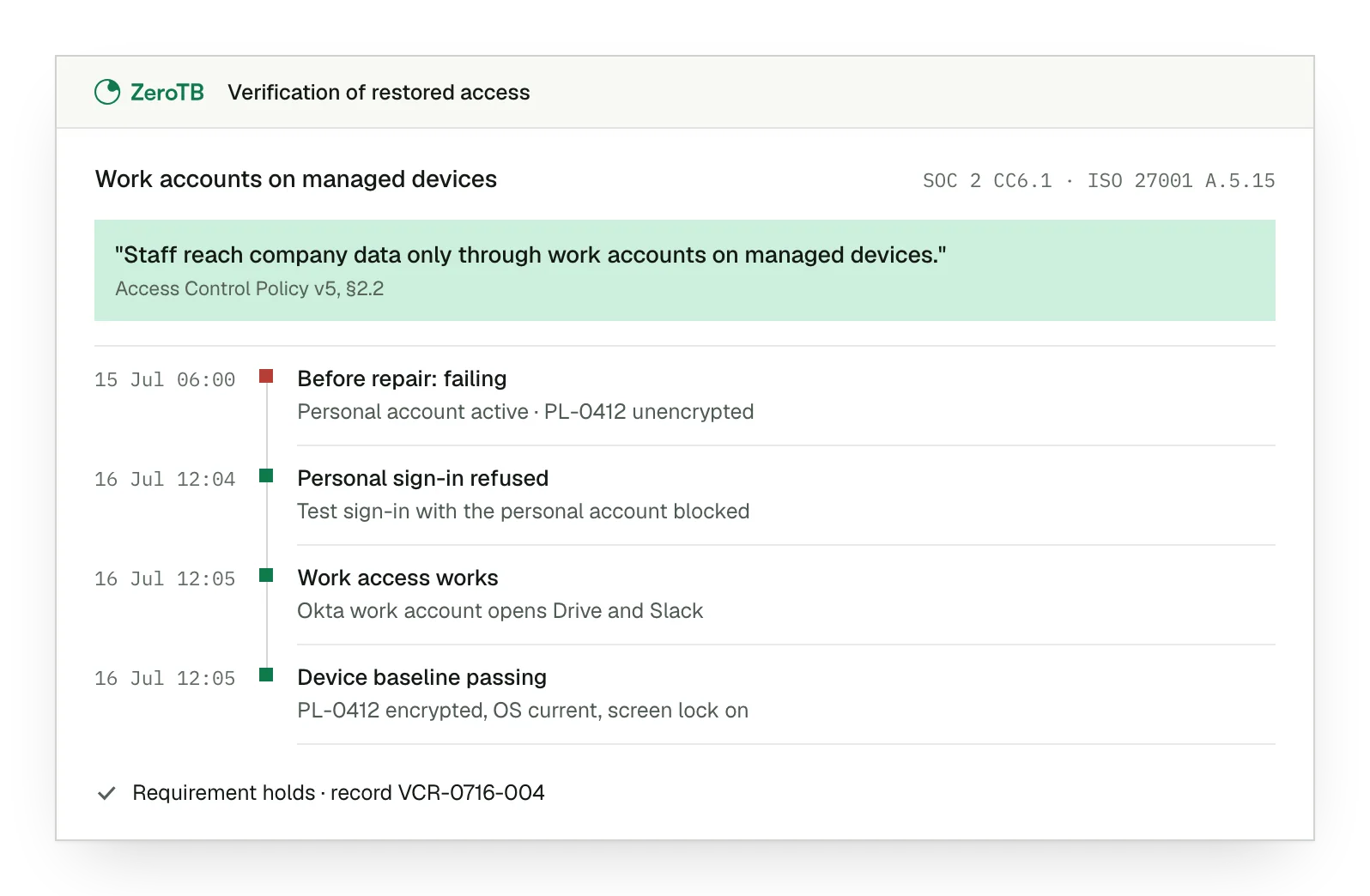
Signatures and timestamps let auditors trust each record
Recorded times show when observations and verification occurred during the repair.
Mappings connect the control to the framework requirements it supports.
Auditors read the repair evidence directly in ZeroTB.
Your team can retain a portable copy of the signed record for review.
An Ed25519 signature accompanies the record supplied for review.
The evidence includes a SHA-256 manifest with its integrity details.
Auditors and teams review repairs from one record
Audit sampling
An auditor selects a repair in ZeroTB and follows its evidence to the requirement.
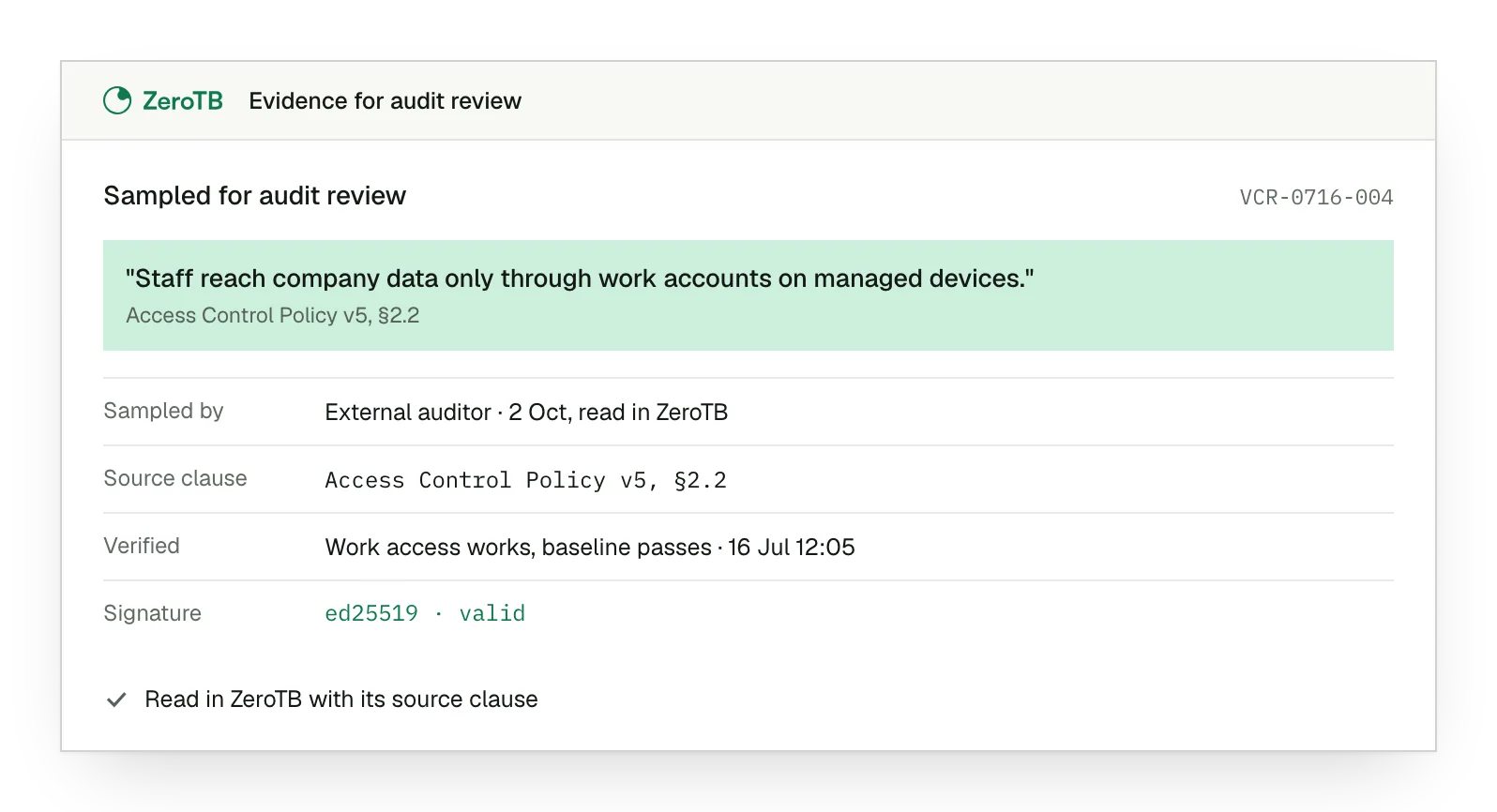
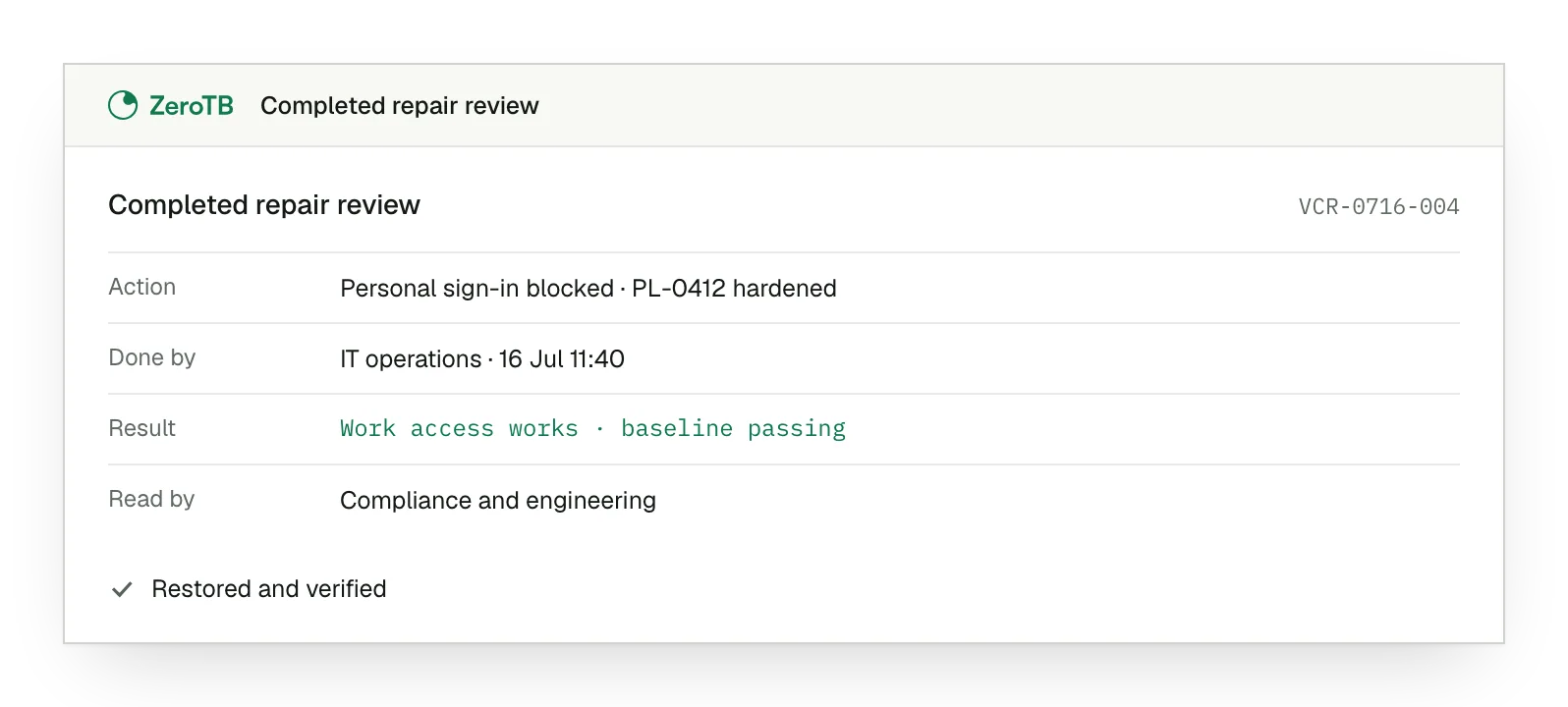
Internal repair review
Compliance sees what engineering completed and the resulting check in the same record.
Shared framework requirements
One repair's evidence supports its applicable SOC 2, ISO 27001 and HIPAA mappings.
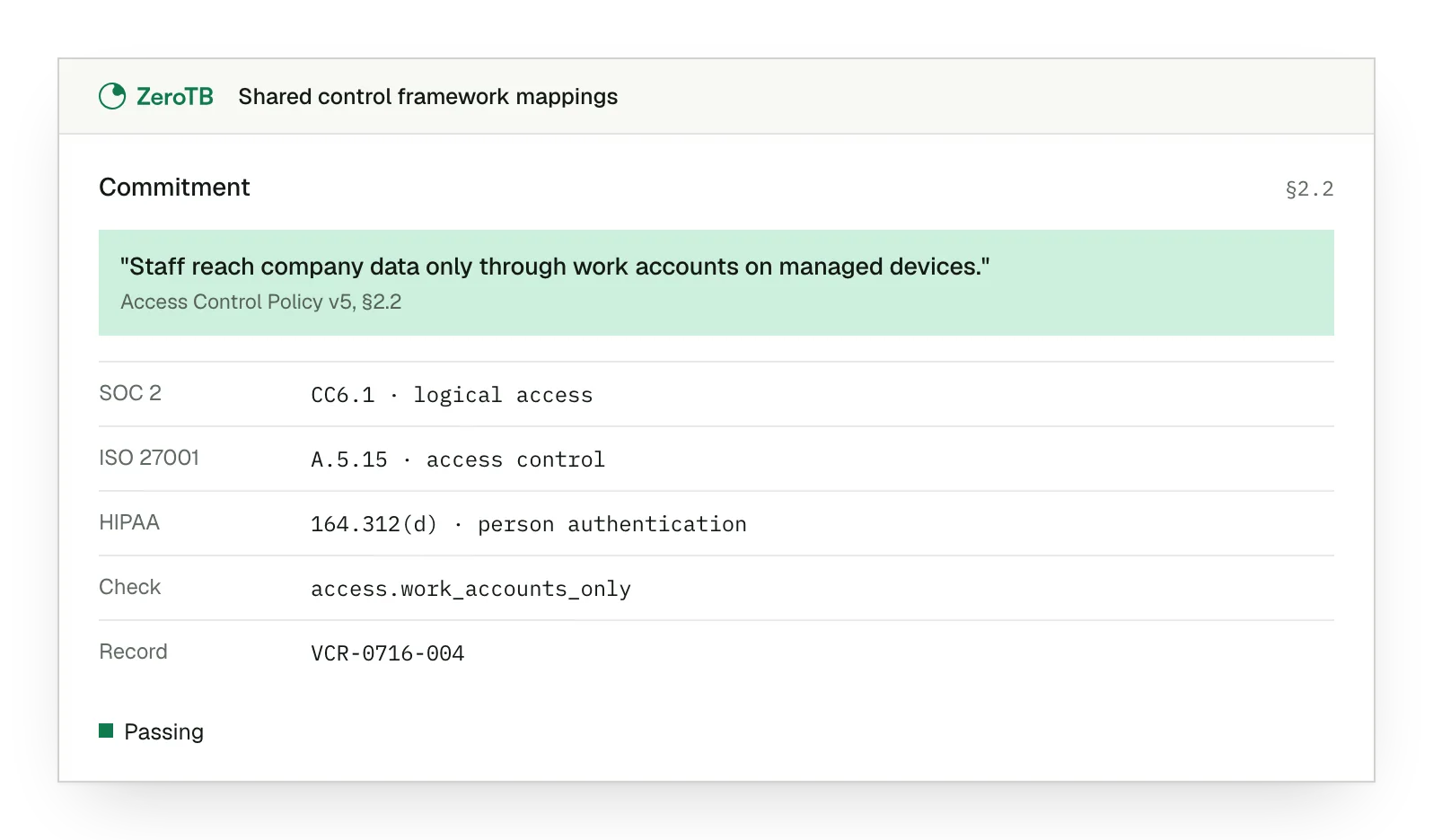
Example of closing unsafe access while preserving work access
The access record in this example checks both outcomes: personal-account access is blocked, and approved work access functions on a device that passes its baseline.
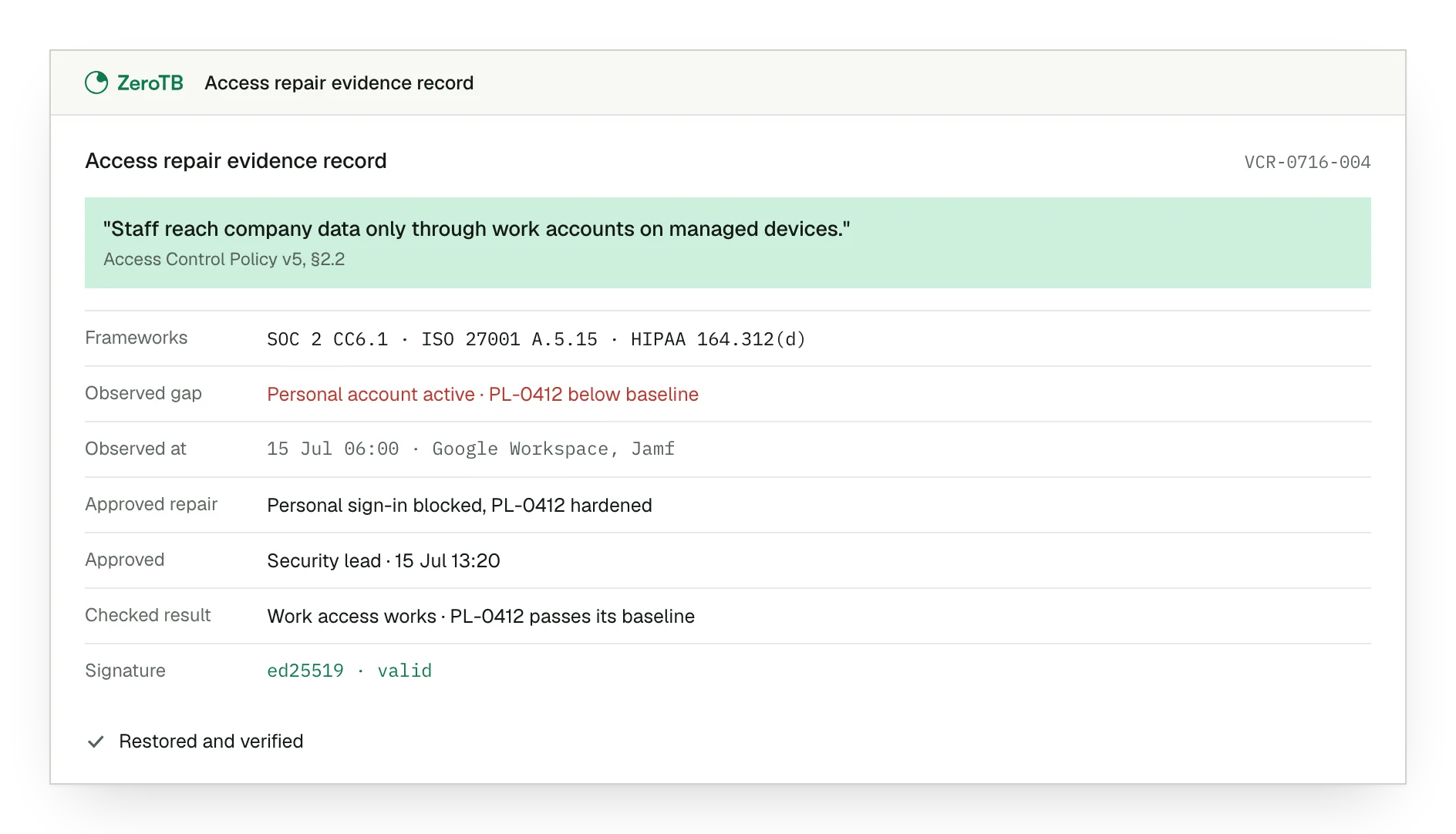
Access requirement. The policy requires approved work accounts on managed devices for company information.
Observed gap. A personal account remains active, and the device baseline is incomplete.
Approved repair. The record keeps approval for blocking personal-account access and completing device hardening.
Checked result. The final check confirms approved work access functions and the device meets its baseline.
Talk to our team
We can discuss the repair history your auditors need and the evidence requests that keep returning to engineering.
FAQ
Does a completed record mean the control is still working today?
A completed record confirms the result at repair time. Systems change afterwards. ZeroTB continues checking at the agreed cadence to establish whether the control still works.
What happens when ZeroTB cannot obtain a current observation?
ZeroTB shows the condition as unknown, stale or disconnected. An earlier successful check cannot establish the control's current condition when observations are missing.
Can AI declare a repair verified?
AI cannot declare a repair verified. AI interprets, investigates and proposes responses. Closing depends on ZeroTB checking the resulting condition with approved logic.
Where do the commitments and repair records stay?
Commitments, checks, repairs and evidence stay together in ZeroTB. Your team also receives a portable signed copy of the repair record to keep.
Does evidence collection give ZeroTB permission to change systems?
Evidence collection grants no permission to change systems. Observation starts read-only, write access covers specific action classes, and material changes require human approval within security boundaries.
Can we see records from work on our own controls during the Pilot?
The Pilot produces portable evidence from repairs to two real control gaps in your systems.
Start with the Pilot
The eight-week Pilot maps up to 25 commitments and restores two real control gaps, with portable evidence of each completed repair.