HIPAA physical safeguards protect the equipment and places where people access electronic protected health information (ePHI). That includes the workstation on a desk and the storage device awaiting disposal. The guides below explain the four standards, the decisions behind each protection and the records that support it.
Four physical safeguard standards
Facility access controls
Limit physical entry to facilities and equipment, with access arrangements for people who are authorized to enter.
Workstation use
Set out permitted workstation activities and working methods, taking account of the area around the workstation.
Workstation security
Restrict physical access to workstations through protections appropriate to the equipment and the place where people use it.
Device and media controls
Control how equipment and media containing ePHI enter, leave or move within facilities, including disposal and reuse.
Gaps after workplace changes
Physical protection needs to keep pace with changes at work. A laptop may have been safe to use in a private office. In a shared area, its display can reveal patient information to people passing the desk unless the workstation arrangements change too.
A laptop changes location
The workstation review misses it
Patient information becomes visible
Ongoing control work with ZeroTB
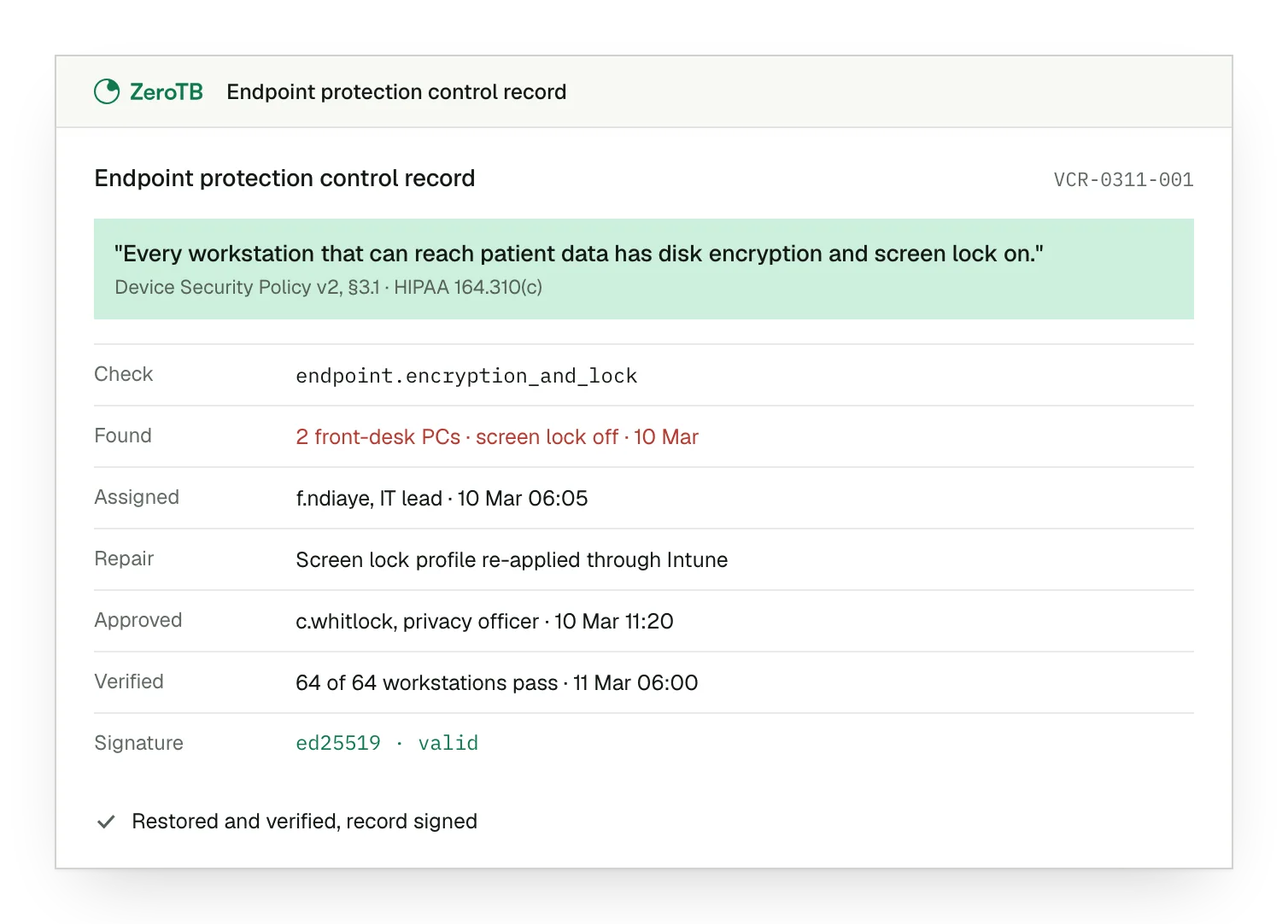
ZeroTB carries control work from the policy through to evidence of a repair. We read the commitment, check connected systems and draft the fix for approval. We then verify the result and produce a signed Verified Control Record that the compliance team can review.
Endpoint checks track required device protections
Scheduled policy reviews get an owner
Unknown states stay visible during review
Talk to our team
Talk with our team about maintaining workstation protections, device-handling procedures and physical access controls as people and equipment move.
FAQ
Do physical safeguards still apply when our systems run in the cloud?
Yes. A cloud application can still expose ePHI through the workstation used to open it. The physical-safeguard assessment includes that equipment as well as the systems at the provider. The HHS Security Rule summary describes the protections that apply to facilities, workstations and media.
How should we account for staff working from home?
Include home workspaces wherever staff use them to access ePHI. Who else can reach the computer or read its screen? The answer affects workstation placement, use and physical protection. HHS physical-safeguard guidance discusses remote locations alongside office workstations when explaining how to apply the standard.
Can we skip an addressable implementation specification?
Each addressable specification needs a decision based on the environment. It must be implemented when reasonable and appropriate. If it is not, the reason must be documented, with an equivalent alternative implemented when reasonable and appropriate. HHS explains this flexibility at the specification level; every standard is required.
How does a system check relate to a physical safeguard?
A connected system can show whether certain device protections are working. Other questions require evidence from physical work, such as securing a room or destroying retired equipment. The evidence needs to match the claim: a device check and a disposal record establish different things.
What evidence helps when a physical safeguard changes?
Useful evidence connects the work to the affected equipment or place. A workstation assessment can explain the protections needed in a new location. A disposal record can document what happened to retired equipment. In either case, the record should make clear which item or location it covers.
How does this work fit our wider HIPAA program?
The HIPAA framework brings physical, administrative and technical safeguards into one program. For a workstation, that means considering its physical setting alongside user authorization and system permissions. ZeroTB works from the commitments already in your program. ZeroTB keeps those commitments with the checks, repairs and evidence.
Start with the Pilot
The Pilot gives you working controls and portable evidence from completed repairs. Over eight weeks, ZeroTB maps up to 25 commitments from your report and takes two real control gaps through verified restoration.